

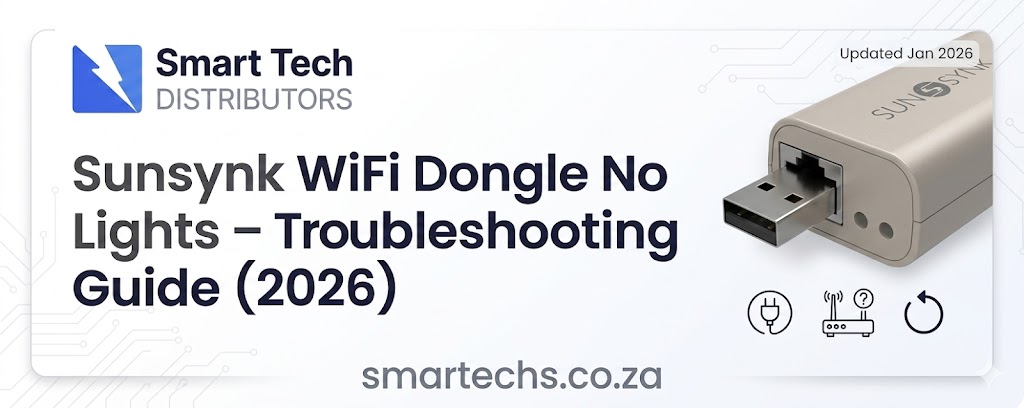
If your **Sunsynk WiFi Dongle shows no lights at all, it can be frustrating—especially when you’re trying to monitor your solar system.
The good news: this is a common issue in South Africa, and in most cases, it’s easy to diagnose.
This guide will walk you through exact causes, fixes, and when to replace the dongle.
⚠️ What “No Lights” Actually Means
When your Sunsynk WiFi dongle has:
- ❌ No red light
- ❌ No green light
- ❌ No blinking LEDs
👉 It means the dongle is not receiving power at all.
This is not a WiFi or app issue — it’s a hardware or power problem.
🔍 Main Causes (Ranked by Likelihood)
1. ⚡ No Power from the Inverter Port
The dongle is powered directly by the inverter.
If there’s no power:
- The dongle will be completely dead
- No LEDs will show
Common reasons:
- Inverter not fully switched on
- Incorrect communication port used
- Internal inverter comms board issue
2. 🔌 Loose or Incorrect Connection
A partially connected dongle is very common.
Check for:
- Loose fit
- Misaligned pins
- Wrong port (RS485 vs WiFi port)
3. 🔄 Faulty WiFi Dongle (Most Common)
If the dongle is:
- Brand new and never powered on
- Or suddenly stopped working
👉 It is often defective.
This is especially common in high-usage environments or after power surges.
4. 🔥 Inverter Communication Port Fault
If the inverter port itself is faulty:
- The dongle won’t receive power
- Other communication devices may also fail
5. ⚙️ Firmware or Configuration Issue (Rare)
Even if disabled in software:
- The dongle should still show power lights
👉 So if there are zero LEDs, this is unlikely the cause.
🧪 Step-by-Step Troubleshooting
Follow these steps in order:
✅ Step 1: Confirm Inverter is ON
- Check display screen
- Ensure system is running normally
✅ Step 2: Reseat the Dongle
- Remove it completely
- Plug it back in firmly
✅ Step 3: Try Another Port
- Use the correct WiFi/COM port
- Avoid RS485-only ports
✅ Step 4: Test Another Dongle (If Available)
This is the fastest way to confirm:
- If the new one works → old dongle is faulty
- If not → inverter issue
✅ Step 5: Inspect for Damage
Look for:
- Burn marks
- Loose connectors
- Physical damage
📊 Real-World Installer Insights (South Africa)
From field experience:
- 60–70% → Faulty dongle
- 20–30% → Loose or wrong connection
- 10% → Inverter port issue
🧠 When to Replace the Dongle
Replace your WiFi dongle if:
- It shows no lights at all
- You’ve tested multiple ports
- Another dongle works fine
👉 In most cases, replacement is the quickest fix.
🛠️ Pro Tip for Installers
Always:
- Test the dongle before leaving site
- Carry a spare
- Confirm correct port usage
This avoids unnecessary call-backs.
📌 Final Thoughts
If your **Sunsynk WiFi Dongle has no lights:
👉 It’s almost always a power issue or faulty hardware — not WiFi setup.
Start with:
- Power check
- Connection check
- Swap test
From there, you’ll quickly identify the problem.
If your Sunsynk WiFi dongle has no lights at all, it usually means it is not receiving power from the inverter. This can be caused by a loose connection, incorrect port, faulty dongle, or an issue with the inverter communication port.
In most cases, yes. If there are no LED lights showing after checking the connection and inverter power, the dongle is likely faulty and may need replacement.
Start by ensuring the inverter is powered on, then remove and firmly reinsert the dongle. Try a different communication port if available and test with another dongle. If the issue persists, the dongle or inverter port may be faulty.
Yes. If the inverter communication port is not supplying power or is faulty, the WiFi dongle will not turn on and no lights will be visible.
You should use the dedicated WiFi or communication port on the inverter. Using the wrong port, such as an RS485-only port, may result in the dongle not powering on.
If you have confirmed the inverter is working and the connection is correct, then yes. A dongle with no lights is usually defective and replacement is the quickest solution.
